Adobe Acrobat is perhaps the most popular and familiar interface for static PDFs. However, with time, it has evolved from a basic PDF viewer to become a strategic and powerful tool for modern document workflows.
The introduction of Acrobat AI Assistant offers features such as summary generation, insights, and automated understanding that help transform documents into intelligent and secure brand assets. With these updates, Acrobat targets agencies, consultants, and in-house teams, promising them smoother collaboration and greater control over the document lifecycle.
Beyond surface-level automation, the AI-powered tools in Acrobat are designed to work within secure, enterprise-ready environments. It is designed specifically for regulated industries and client-facing workflows, where confidentiality and compliance are equally important as speed and efficiency.
Let’s dive deeper into Adobe Acrobat and its AI tools to see why it is such an ideal fit for modern document workflows.
Beyond Static PDFs: Acrobat’s Intelligent Transformation
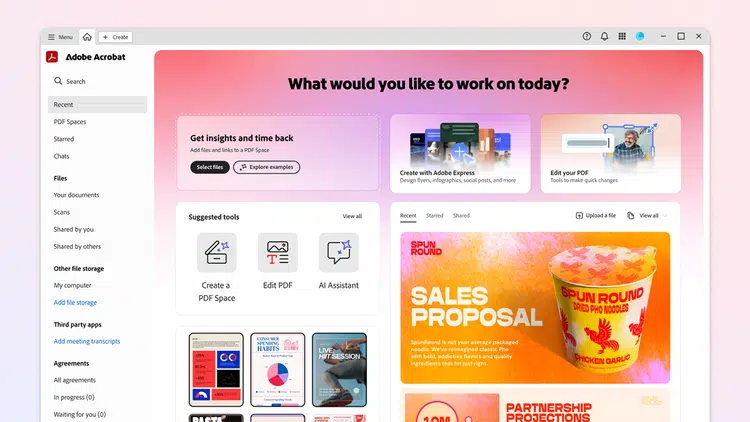
Traditionally, PDFs were known as static files with locked formats. These documents were easy to share but increasingly difficult to edit, work or collaborate on a larger scale. However, this is no longer the case thanks to Adobe Acrobat AI Assistant.
Acrobat introduces document intelligence for previously static and passive PDF files. Its AI-assisted workflows support querying, summarizing, and reviewing of the files under controlled governance. These features align perfectly with the way modern teams operate, helping them bring structure, clarity, and automation instead of the traditional manual, time-consuming management.
AI Summaries, Insights, and Deep Document Understanding
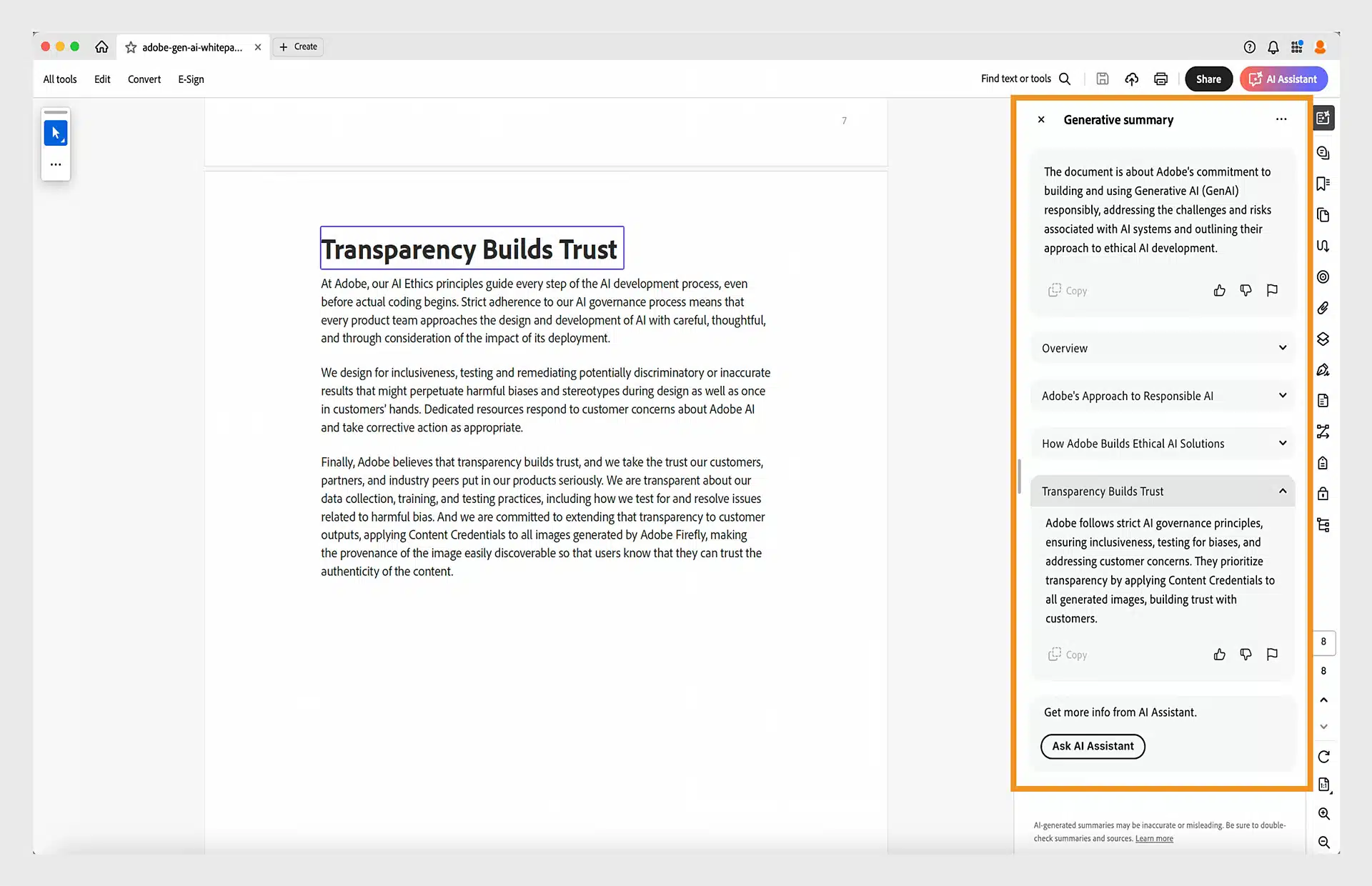
The most impactful update of Adobe Acrobat is its AI-powered document summarization. With this, professionals can read the generated automated concise summaries of long or complex PDFs instead of reading line by line to understand the core message.
Acrobat AI Assistant focuses on contextual insights by identifying important clauses, risks, and action items in reports, contracts, and audits. It enables executives, consultants, and reviewers to grasp key points in minutes, reduce the chances of overlooking critical details, and thereby significantly accelerate the review and decision-making cycle.
The AI-powered tools in Acrobat maintains context across entire documents rather than isolated sections, allowing it to interpret references, definitions, and cross-page dependencies accurately. This is incredibly essential for legal agreements and policy documents, where meaning often depends on structure, hierarchy, and prior clauses rather than standalone sentences.
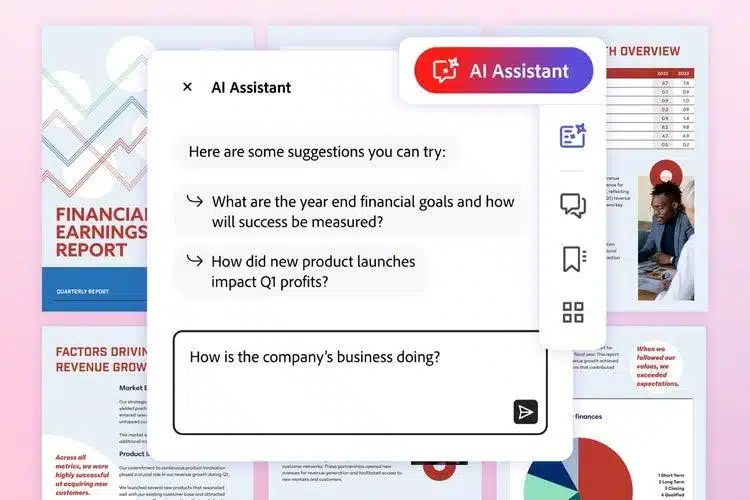
To add on, the document intelligence is accompanied by a smart search and navigation option. Using this, users can ask questions about the document in natural language and retrieve answers much faster and more accurately than a keyword search. Thus, Acrobat AI Assistant reduces manual reviewing effort and chances of missing critical info while improving the speed and accuracy for brand professionals.
Smarter Workflows for Contracts, Proposals, and Brand Guidelines
One of the key requirements of modern workflows is smart and efficient management of high-volume documents. This revolves around three primary assets: contracts, proposals, and brand guidelines.
For contract review, Acrobat provides features such as highlighting unusual, high-risk, or missing clauses and side-by-side comparative analysis of different versions. It helps teams track changes and revisions clearly and manage contracts across various vendors and clients simultaneously.
Next, Acrobat provides a simplified, automated process for proposal creation. It automatically extracts reusable sections from previous proposals and reuses them when drafting new ones. This increases customization, reduces redundancy, and maintains consistency across multiple documents, allowing teams to rebuild proposals efficiently rather than write them from scratch.
Last, Adobe AI offers seamless brand guideline integration for consistency across visuals and textual assets. It does so by easy searching and understanding of guidelines and quick referencing of logos, fonts, headers, and approved layouts. The integration supports collaboration between design and marketing teams, making brand guidelines practical, everyday tools rather than just static PDFs.
Reviewing, Redlining, and Collaboration at Scale
Modern teams no longer work in isolation but require regular collaboration between various individuals. Acrobat, with its AI-assisted redlining and reviewing features, makes this collaboration possible at scale. It automatically highlights variations in different versions and provides intelligent suggestions for improvement during editing.
Version comparison is further strengthened through automated change tracking. Using this, reviewers can instantly identify insertions, deletions, and formatting changes without manual cross-checking. This reduces review fatigue and ensures that feedback is applied consistently, even when multiple contributors are editing the document simultaneously.
Features like comments, annotations, and threaded discussions allow for centralized collaboration within documents, while a clear assignment of tasks reduces miscommunication and real-time feed tracks progress. All stakeholders work and review a single document, ensuring transparency and preventing the need for duplicated effort.
Acrobat supports collaboration at scale and is ideal for distributed teams working remotely, globally, or in a hybrid environment. Its scalability and efficiency at reducing version drift and miscommunication make it suitable for both small and large enterprises.
Security, Permissions, and Version Control for Teams
Handling of high-volume confidential documents demands security and governance at all hours. Acrobat, like Adobe’s other applications, remains a trusted platform for managing access and risk to static PDFs.
First, its role-based permissions control viewing, editing, and sharing access and guard against unauthorized edits and downloads. The industry-standard document encryption also enhances the security of sensitive files and confidential contracts.
Audit-ready activity logs further strengthen governance by recording who accessed a document, when changes were made, and which actions were performed. This level of traceability is vital for regulated teams, enabling compliance reviews, internal audits, and accountability without the need for external monitoring tools.
Adobe AI is backed by its secure cloud storage ecosystem that protects, syncs, and backs up data regularly. In addition, the robust version control logs and archives every change and approval, along with allowing effortless rollback to previous versions. All in all, Acrobat maintains accountability, security, and compliance for in-house teams without added complexity.
Why Acrobat Still Anchors Professional Workflows
In recent years, there has been an increasing rise in the demand for professional workflows and, hence, a rise in AI-assisted document editing and viewing platforms. Yet, Adobe Acrobat continues to claim its spot at the top of modern document workflows. The primary reasons for this include years of trust, scalability at an enhanced level, and reduced operational overhead.
Trusted Across Industries
While the introduction of AI-powered tools in Acrobat is relatively new, Adobe Acrobat has been around and adopted by industries for several decades. It has been used in legal, finance, marketing, education, and enterprise environments for its high accuracy, compliance, and security.
This established trust and reputation is essential when handling contracts, reports, proposals, and other critical documents, and therefore difficult to replace with relatively new document tools. The release of Acrobat AI Assistant has only strengthened this trust and reliability by boosting the brand’s productivity without compromising security.
Seamless Integration with the Adobe Ecosystem

Adobe Acrobat provides seamless cloud integration with the Adobe ecosystem. This allows creative and marketing teams to smoothly collaborate on platforms such as Photoshop, Illustrator, InDesign, and Adobe Express.
Professionals confidently move from design and creation to review, approval, and distribution stages without breaking the workflow. As a result, brand assets stay consistent, timelines become shorter, and collaboration becomes more efficient.
Scales with Team Needs
Adobe Acrobat’s key strength lies in its ability to scale and adapt to various team sizes without forcing changes in user behavior. For freelancers, it offers AI summaries for faster document comprehension and secure file sharing for clients.
Meanwhile, agencies benefit from collaborative reviews and brand consistency across various platforms. Last, large-scale enterprises rely on Acrobat for governance, security, and compliance. It facilitates all user behaviors while maintaining a familiar interface.
Lower Operational Overhead
With its AI-powered features, Acrobat significantly reduces the manual review time, eliminates the need for rework, and lowers the risk of document errors. All in all, it brings down the total time and cost of document management, which is essential for revenue-generating teams. Acrobat instead prioritizes speed, accuracy, and consistency, which come together to make it the best for modern document workflows in this AI-driven era.
Adobe Acrobat: The Underrated Backbone of Modern Document Workflows
Adobe Acrobat has always had a significant influence on real-world document workflows, which has only further progressed with the launch of Acrobat AI Assistant. The platform’s focus on practical intelligence, including AI summaries, contextual insights, enterprise-grade security, and large-scale collaboration, makes it fitting for modern agencies, consultants, and in-house teams.
However, what truly sets Acrobat apart is how seamlessly it fits into Adobe’s professional ecosystems. This, combined with the embedded AI tools and promise of safety and compliance make Acrobat the perfect balance of innovation and reliability, the two key aspects when it comes to handling static PDFs and high volumes of documents.
To put it simply, Adobe Acrobat stands as an underrated yet indispensable tool, quietly anchoring modern document workflows while enabling speed, clarity, and control at scale.